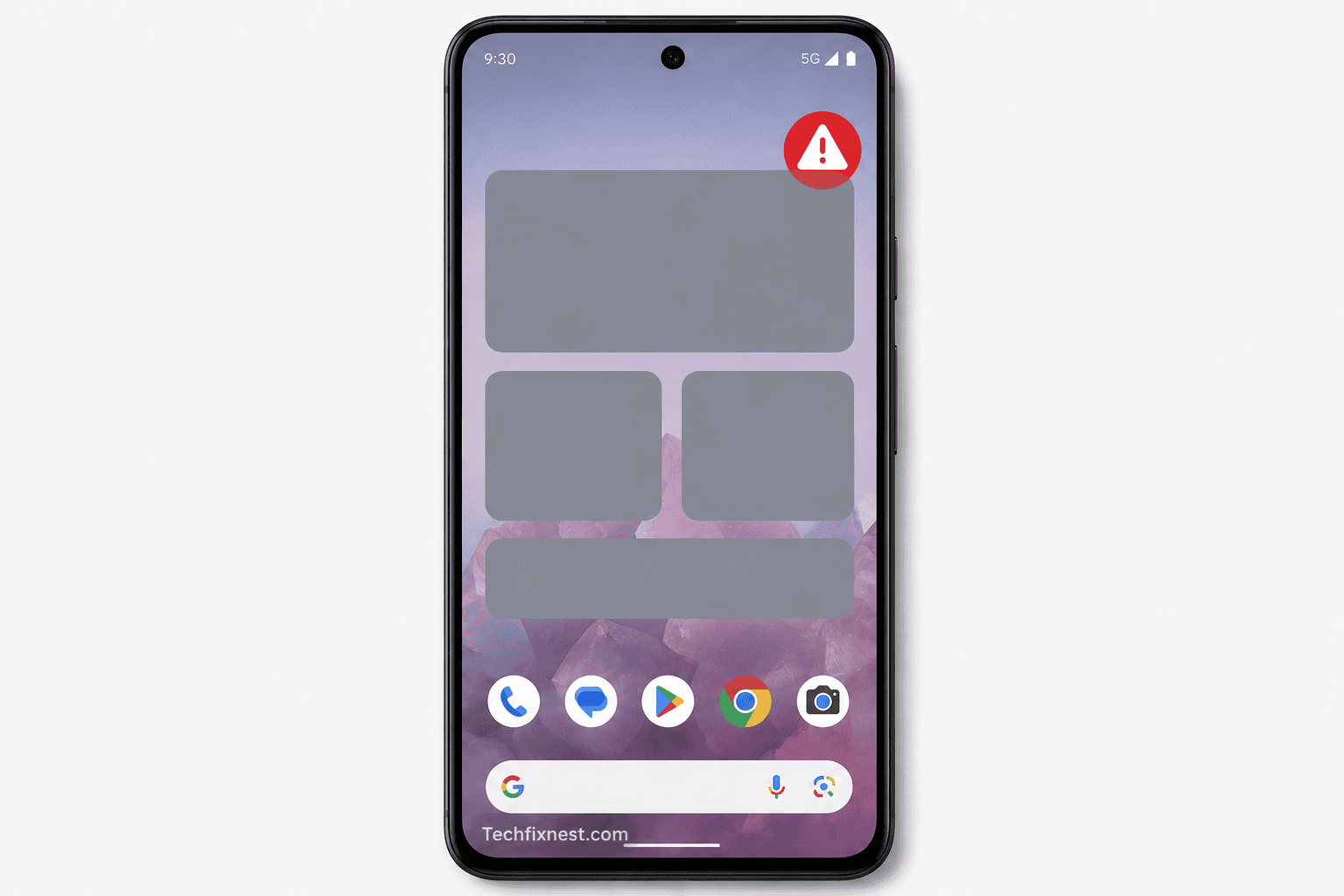
I updated my Pixel 9 Pro to Android 17 the day it dropped June 16, felt like a normal Monday, downloaded the update over coffee, rebooted, and… my home screen was gone. Not the phone, just every single widget I had carefully arranged over the past year. My Calendar widget, gone. Google Tasks, gone. Even the Google Search bar at the bottom had shrunk into something that looked half-broken. For a second I genuinely thought I’d bricked my own home screen.
If you’re reading this because the exact same thing just happened to you, take a breath you’re not alone, and your phone is not broken. This is a known Android 17 bug, and in this guide I’m walking through everything I found out while trying to fix it myself, including what actually worked and what was a waste of time.
Why Android 17 Widgets Are Disappearing From the Home Screen
Let’s start with the “why,” because understanding the cause saves you from randomly toggling settings for an hour like I did.
After digging through Reddit threads (r/GooglePixel had dozens of posts about this within days of the update) and Google’s own support community, a pattern became obvious: almost everyone affected has a Work Profile set up on their device usually through something like Microsoft Intune, Google Workspace’s device management, or an app like Island that isolates apps into a separate profile.
Android 17 appears to have trouble rendering widgets properly whenever a Work Profile is active. It’s not that the widgets are deleted they’re technically still “there” in the system, but the home screen and the widget picker both fail to display them. Some people also lost their Search bar widget, which is normally locked in place and impossible to remove manually.
Here’s the part that stung a bit: this wasn’t even a fresh bug. It had already been flagged on Google’s Issue Tracker back in February, during the Android 17 beta phase. It just never got squashed before the stable release rolled out to everyone on June 16.
The good news is Google has publicly acknowledged the issue. A company representative confirmed on Reddit that the team is aware it’s tied to Work Profile users and that a fix is coming in a future update. That’s reassuring, but if you need your widgets back today (like I did, because I genuinely use my Calendar widget every morning), you don’t have to just sit and wait. Here’s what actually helped.
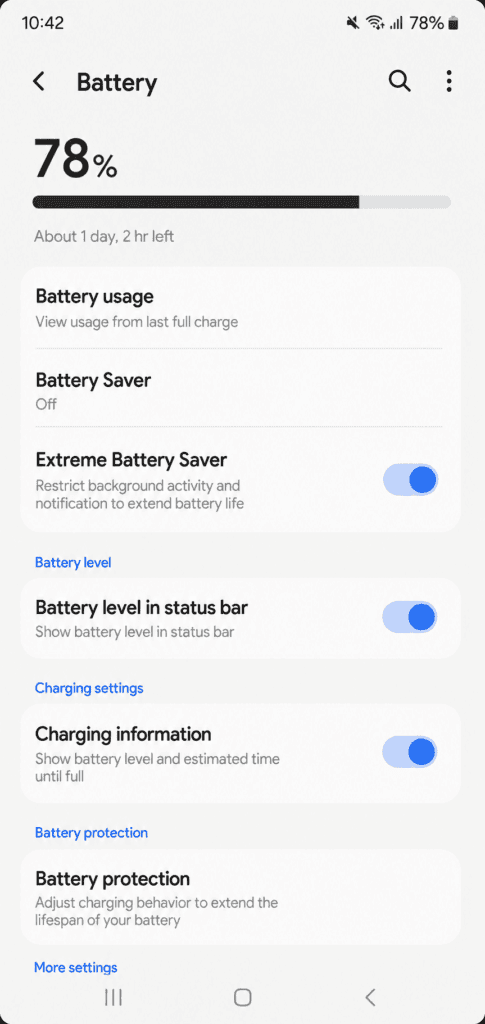
Fix 1: Try the Extreme Battery Saver Trick
This was the first workaround I tried, mostly because it sounded too easy to actually work. Turns out, it does temporarily.
- Pull down your notification shade and open Settings
- Go to Battery
- Turn on Extreme Battery Saver
- Wait about 15-20 seconds
- Turn it back off
What this does is force every app on your phone to pause and then unpause, which essentially kicks your widgets into refreshing themselves. When I did this, my Calendar and Clock widgets popped right back onto my home screen like nothing had happened.
The catch: this fix doesn’t survive a reboot. Restart your phone, and the widgets vanish again. Annoying, but it’s a quick fifteen-second fix you can repeat whenever needed.
Fix 2: Use the Focus Mode Trick
If Extreme Battery Saver feels a bit heavy-handed (it does disable a lot while it’s active), Focus Mode is a gentler version of the same idea.
- Go to Settings > Digital Wellbeing & parental controls > Focus mode
- Create a new Focus Mode
- Add the specific apps whose widgets disappeared (Calendar, Clock, Tasks, whatever’s missing)
- Turn the Focus Mode on, wait a few seconds, then turn it off
This pauses and resumes just the apps you select rather than your entire phone, so it’s a bit more targeted. I actually ended up preferring this one because I could leave my other apps running normally while I fixed just the widgets I cared about.
Same limitation applies here too it resets after a reboot.
Fix 3: Disable and Re-Enable the Affected App
For a couple of stubborn widgets my Search bar in particular the two tricks above didn’t fully do the job. This one did.
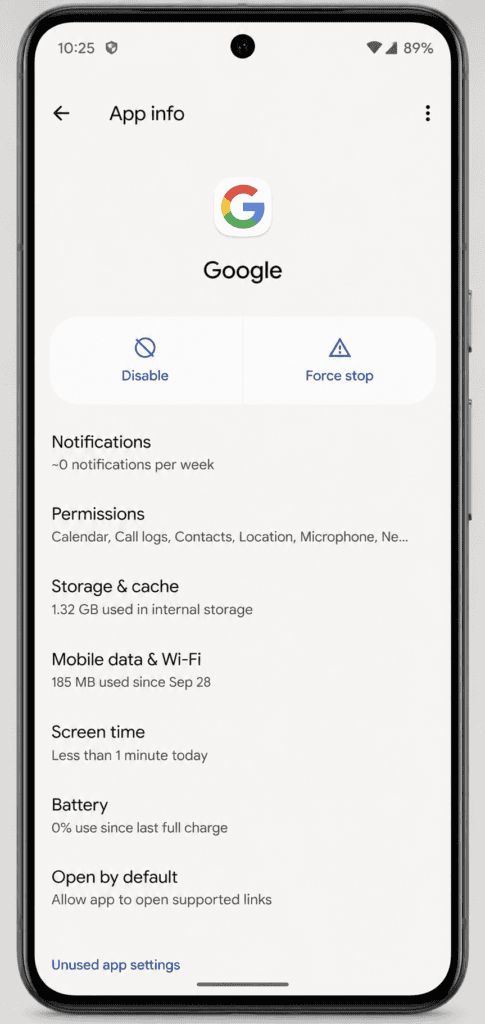
- Open Settings > Apps
- Find the app whose widget is missing (for the Search bar, that’s the Google app)
- Tap Disable
- Wait a moment, then tap Enable again
- Go back to your home screen and manually re-add the widget through the widget picker
I’ll be honest, disabling the Google app made me nervous for a second, but it re-enabled instantly with no data loss. After doing this, my Search bar widget came back and actually stuck around properly, even through a reboot, which the other two methods didn’t manage.
Fix 4: Check If Widgets Are Missing From the Widget Picker Too
Before you try re-adding anything, long-press your home screen and open the widget picker to see if the missing widget even shows up as an option. A lot of affected users (myself included, for the Calendar widget specifically) found that certain widgets — usually ones tied to personal data like Calendar or Tasks get filtered out of the picker entirely while the Work Profile bug is active.
If your widget isn’t even listed, none of the manual re-adding steps will work until you deal with the Work Profile itself, which brings me to the next two fixes.
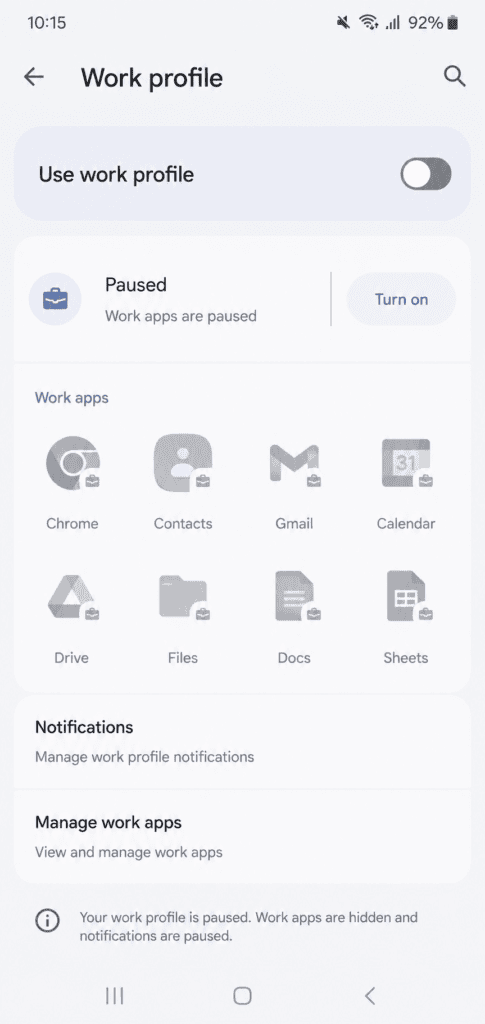
Fix 5: Temporarily Disable Your Work Profile
This is the fix that people report as the most reliable, and it was the one that finally gave me a stable home screen without needing to repeat a trick every day.
- Go to Settings > Work profile
- Toggle Work profile off
Once disabled, your personal widgets should return to normal, and they’ll actually survive a reboot. The tradeoff is obvious: your work apps and data won’t be accessible while it’s off, so this isn’t ideal if you rely on your work profile daily. Also worth knowing if you turn the Work Profile back on later, the widget bug tends to come right back with it.
I only use my work profile for a couple of apps I don’t need constant access to, so I left it off for about a week while waiting for Google’s patch. If your job depends on that profile being active throughout the day, this workaround might not be realistic for you, and you’ll want to look at the next option instead.
Fix 6: Ask Your IT Admin to Adjust the Intune Policy
If your Work Profile is managed by your company through Microsoft Intune (common in a lot of workplaces that issue Android phones or allow BYOD), there’s actually a backend setting that can resolve this without deleting the Work Profile at all.
I’m not an IT admin myself, but after talking to a friend who manages devices for their company, here’s the setting that fixed it for their whole team:
- In the Microsoft Intune admin center, go to Devices > Android Enterprise > Templates > Device restrictions
- Find the setting “Allow widgets from work profile apps”
- Change it from Enabled to Not configured
- Push the policy update to affected devices
This won’t bring back work-profile widgets specifically, but it does stop the bug from breaking your personal widgets, which for most people is the priority. If you’re on a managed device, it’s worth forwarding this to whoever handles your company’s mobile device management — it takes them a couple of minutes to apply and saves everyone the daily workaround routine.
Fix 7: Wait for Google’s Official Patch (and Report the Bug)
Google has confirmed this is a known issue and that a fix is on the way in a future software update. There’s no confirmed date as of writing this, but based on how Google usually handles Pixel-specific bugs, it’s likely to land in an upcoming Feature Drop or a smaller point update rather than requiring a full QPR release.
In the meantime, two small things actually help:
- Star or upvote the issue on Google’s Issue Tracker if you can find the relevant bug report. More visibility tends to push these fixes up the priority list.
- Check for updates regularly under Settings > System > System update, since Google has been known to push quiet bug-fix patches between major releases.
I’d genuinely recommend not deleting and recreating your Work Profile repeatedly trying to “force” a fix a few users on Reddit did this and just triggered the bug again each time, with no real benefit.
My Honest Take After Living With This Bug for a Few Weeks
If I’m being real with you, none of these fixes are a permanent solution they’re all patches until Google ships the actual one. What worked best for my day-to-day was a mix of Fix 3 (disabling and re-enabling the Google app once) for the Search bar, and Fix 5 (turning off Work Profile) for everything else, since I don’t touch my work apps outside office hours anyway.
If you’re someone who needs your Work Profile active constantly, honestly, get your IT team to push that Intune change (Fix 6) sooner rather than later it saved my colleague a lot of daily frustration compared to me manually running the battery saver trick every morning like some kind of ritual.
How to Tell If Your Widget Problem Is Actually This Bug
Before you go through all seven fixes, it’s worth double-checking that what you’re dealing with is actually this specific Android 17 issue and not something else entirely. A few things line up if this is your problem:
- Widgets disappeared right after installing the Android 17 update, not gradually over time
- You have a Work Profile set up, whether through your employer, Microsoft Intune, Google Workspace, or an isolation app like Island
- The missing widgets are ones that display personal information — Calendar, Tasks, Keep, Clock, and similar apps seem to be hit the hardest
- The widgets are also missing from the widget picker, not just your home screen
- A reboot doesn’t bring them back, and in some cases makes it worse
If your situation doesn’t quite match this say, only one random third-party widget vanished and you don’t use a Work Profile at all it might be a separate, unrelated glitch. In that case, a simple restart, clearing the specific app’s cache, or reinstalling that one app is usually enough. I’d only jump into the Work Profile-related fixes above if you’re actually seeing the pattern described here.
A Quick Word on Backing Up Your Home Screen Layout
One thing I wish I’d done before updating: taking a screenshot of my home screen layout. It sounds unnecessary until your widgets vanish and you’re trying to remember exactly where everything was and which sizes you’d picked. Once Fix 3 or Fix 5 brings your widgets back, you’ll likely need to manually re-add and resize a few of them anyway, so having a reference screenshot saves a surprising amount of time. If you haven’t updated yet and you’re reading this as a precaution, take that screenshot now future you will thank you.
It’s also worth noting that this bug doesn’t touch your actual app data. Your Calendar events, Tasks, and Keep notes are all completely safe; it’s purely a display issue with the home screen and widget picker failing to render them. That distinction mattered a lot to me when I first saw everything vanish for a moment I genuinely worried I’d lost my calendar entries, and that wasn’t the case at all.
Frequently Asked Questions
Possibly, but it isn’t guaranteed. Google hasn’t confirmed which update will carry the official fix, so keep checking your system updates regularly rather than assuming the next one will resolve it.
It affects standard Android home screen and lock screen widgets. It’s unrelated to Apple’s widget system, though the underlying cause (a rendering conflict tied to Work Profile) is Android-specific.
No, disabling it just pauses access temporarily. Your work apps and data stay intact and become accessible again once you turn the profile back on — the widget bug will likely return with it, though.
Most reports so far are from Pixel devices, since Pixel got Android 17 first. As Samsung, OnePlus, and other brands roll out their own Android 17-based updates later in 2026, it’s worth watching whether the same Work Profile widget bug shows up on those devices too.
If none of these fixes get your widgets back, drop a comment below with your specific phone model and whether you’re using a Work Profile I’ll try to help troubleshoot based on what’s worked for others in the same situation.