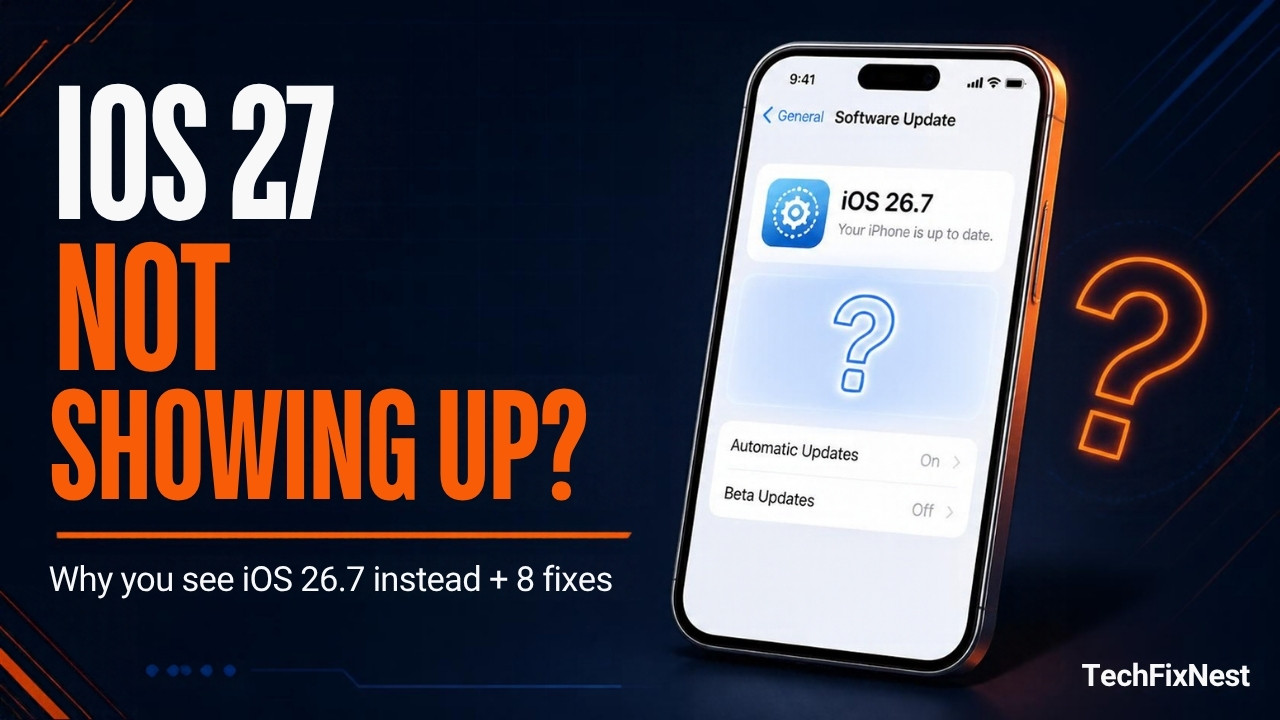
You open Settings, tap Software Update, and iOS 27 is nowhere to be found. Or you tap the iOS 27 upgrade and the screen says iOS 26.7 instead. It looks like a bug, and sometimes it is, but most of the time there is a simple reason and a quick way around it. Apple released iOS 27 on September 14, 2026, and the way it shows up in Software Update has changed more than once since then.
This guide explains exactly why iOS 27 may not be showing up on your iPhone, what has changed in the last few weeks, and the fixes to try in order, from the quickest to the most thorough. Last updated: October 19, 2026.
Quick Answer
First, scroll down. At launch, Apple offered iOS 26.7 as the main update and tucked iOS 27 under Also Available at the bottom of Settings > General > Software Update. Since October 8, iPhones still on iOS 26 are shown iOS 27.0.1 as the large main update, with iOS 26.7.1 moved down to Also Available. If you still see nothing, the cause is usually an unsupported iPhone, a leftover beta profile, low storage, a bad connection or a half-downloaded update file. If the iOS 27 button keeps opening an iOS 26.7 card, that was a known display bug, and installing through a Mac is the most reliable way around it. If your phone gets stuck later in the process, see our guide for an iPhone stuck on Preparing Update.
What Changed With iOS 27 in Software Update
Understanding the timeline explains why different people see different things on the same day.
- September 14: iOS 27 is released. Software Update shows iOS 26.7 as the recommended update and lists iOS 27 under Also Available.
- September 15: Users report that tapping the iOS 27 upgrade opens a card labelled iOS 26.7. Some people installed iOS 26.7 first, were told iOS 26 was up to date, and were then offered the iOS 27 upgrade again, only to see the same iOS 26.7 card.
- September 28: Apple releases iOS 27.0.1, the first bug-fix update, which also fixes a touchscreen freeze that could happen when Notification Center and Control Center were opened together.
- October 8: Apple makes iOS 27.0.1 the default update for iPhones running iOS 26. iOS 26.7.1, a security update, moves to Also Available.
iOS 26.7 and 26.7.1 are real updates for people who want to stay on iOS 26. They are not mistakes. The only bug was the confusing card shown when people tried to start the iOS 27 upgrade.
Which iPhones Can Install iOS 27?
iOS 27 runs on every iPhone that supports iOS 26, so no models were dropped this year. That means the iPhone 11 series and newer, plus the iPhone SE (2nd generation) and later. The iPhone 12, 13, 14, 15, 16 and 17 lines are all covered, along with the iPhone Air and the 16e and 17e. Some of the biggest Siri and Apple Intelligence features need newer hardware, but the update itself still installs on older supported phones.
Troubleshooting Table
| What You See | Most Likely Cause | Start With |
|---|---|---|
| Only iOS 26.7 or 26.7.1 appears | iOS 27 is listed lower on the screen | Fix 1 |
| No iOS 27 anywhere | iPhone is not supported | Fix 2 |
| Tapping iOS 27 opens an iOS 26.7 card | Known Software Update display bug | Fix 7 |
| Different options on a beta iPhone | Beta profile or beta updates still on | Fix 4 |
| Stuck on Update Requested | Partial or damaged update file | Fix 5 |
| Unable to Check for Update | Connection, VPN or date problem | Fix 6 |
| Download button is missing or fails | Not enough free storage | Fix 3 |
Why This Is Happening
1. iOS 27 is listed lower on the Software Update screen
Apple has rolled out major iOS versions gradually in recent years. The newest major version is not always the large main card, so it is easy to miss when you only look at the top of the screen.
Clue: you see iOS 26.7 or 26.7.1 near the top, and a smaller section called Also Available lower down.
2. Your iPhone is not supported
iOS 27 needs an iPhone 11 or newer, or an iPhone SE (2nd generation) or later. An iPhone XR, XS or earlier will never be offered it.
Clue: Software Update says your software is up to date, and your model in Settings > General > About is older than the iPhone 11.
3. A beta profile is still on the phone
If you ran an iOS 27 developer or public beta over the summer, the phone may still be signed up for beta updates, which changes what Software Update offers.
Clue: Settings > General > Software Update shows a Beta Updates entry that is not set to Off.
4. Software Update is showing a confusing or wrong card
At launch, tapping the iOS 27 upgrade opened a card labelled iOS 26.7. It is unclear whether the right firmware was behind that card, which is why many people preferred to install through a computer instead.
Clue: iOS 27 appears under Also Available, but the card you open after tapping it says iOS 26.7.
5. Storage, connection or a damaged download is blocking it
A big update needs plenty of free space and a stable Wi-Fi connection. One report of the iOS 27 download showed a package of about 20 GB. A leftover partial file from an earlier attempt can also stop the update from continuing.
Clue: you get messages such as Update Requested, Unable to Check for Update, or Not Enough Storage.
Fix 1: Scroll Down and Look for iOS 27
- Open Settings > General > Software Update.
- Scroll to the bottom and look for the Also Available section.
- If iOS 27.0.1 is the main card, tap Update Now or Download and Install. If iOS 26.7.1 is the main card, tap the iOS 27 option below it.
Test: you can see a clear iOS 27 download screen with the version number, not an iOS 26.7 card.
Fix 2: Confirm Your iPhone Supports iOS 27
- Open Settings > General > About and read the Model Name.
- Compare it with the supported list above: iPhone 11 or newer, or iPhone SE (2nd generation) and later.
If your model is older, iOS 27 will not appear no matter what you try. In that case, install the newest update offered for your phone to stay secure.
Test: your model is on the supported list, so the rest of the fixes apply to you.
Fix 3: Free Up Storage and Get on Wi-Fi
- Go to Settings > General > iPhone Storage and wait for the numbers to finish loading.
- Delete or offload apps you do not use and clear large videos. Aim for at least 20 to 25 GB free, because the update package can be large and needs room to unpack.
- Connect to a stable Wi-Fi network and plug the phone into power.
- Restart the iPhone, then open Software Update again.
Test: the Download and Install button appears and the download starts without a storage warning.
Fix 4: Turn Off Beta Updates
- Open Settings > General > Software Update > Beta Updates.
- Choose Off.
- Go back, wait a moment, and let the phone check for updates again.
If you still have a beta configuration profile, open Settings > General > VPN & Device Management and remove it, then restart the iPhone.
Test: Software Update now offers the public iOS 27 release instead of a beta build or nothing at all.
Fix 5: Delete a Stuck or Partial Update File
If the screen says Update Requested for a long time, a half-downloaded file may be the problem.
- Go to Settings > General > iPhone Storage.
- Scroll the app list and tap the iOS update entry if you see one.
- Tap Delete Update.
- Restart the iPhone, return to Software Update and download again.
If the phone freezes completely during the install, our guide on what to do when an iPhone is stuck on the Apple logo will help.
Test: the new download starts from zero and moves past Update Requested.
Fix 6: Fix Unable to Check for Update
- Switch Wi-Fi off and on, or move to a different network. Turn off any VPN or content filter for now.
- Go to Settings > General > Date & Time and turn on Set Automatically.
- Turn on Airplane Mode for 20 seconds, then turn it off.
- If it still fails, go to Settings > General > Transfer or Reset iPhone > Reset > Reset Network Settings. This removes saved Wi-Fi passwords but keeps your apps, photos and messages.
Test: Software Update finishes checking and lists the available updates.
Fix 7: Install iOS 27 Through a Mac or PC
This is the most reliable workaround if the iOS 27 button keeps opening an iOS 26.7 card, or the phone simply will not offer the update. Make a full backup first.
- Connect your iPhone to a Mac with a cable and unlock it. Tap Trust if asked.
- Open Finder and select your iPhone in the sidebar, then open the General tab.
- Click Check for Update. Finder will often detect and offer iOS 27 correctly, even when the phone itself does not.
- If you have downloaded an iOS 27 IPSW file for your exact model, hold the Option key while clicking Check for Update, choose the file, and confirm.
- Keep the cable connected and wait until the iPhone restarts and shows the Hello screen.
On Windows, use the Apple Devices app or iTunes. Choose Update, not Restore, so your data stays on the phone.
Test: Settings > General > About shows an iOS 27 version number.
Fix 8: Wait for Apple, or Choose iOS 26.7.1 on Purpose
If you do not want to use a computer, you can wait a few days and check again. Avoid tapping the same update again and again, because it does not make the screen update any sooner. If you would rather stay on iOS 26 for now, install iOS 26.7.1 from Also Available. It is a security update inside iOS 26 and does not install iOS 27 in the background. Keep in mind that once you move to iOS 27, you cannot go back through Software Update.
Test: your phone runs the version you chose on purpose, either iOS 27.0.1 or iOS 26.7.1.
Should You Install iOS 27 Now?
For most people, yes. Apple now shows iOS 27.0.1 as the main update, which signals that the first round of serious bugs has been dealt with. If your iPhone is your only work device, you may prefer to wait for iOS 27.1. Apple has said the iPhone Duo ships with iOS 27.1 on October 23, so that update should arrive within days. Either way, make a backup first and check that your important apps support iOS 27. After you update, our guide to common iOS 27 problems and how to fix each one covers battery, heat and lag.
Pro Tips
- Back up to iCloud or a computer before every major update, and keep the phone plugged in until it finishes.
- Check Software Update from a Wi-Fi network you trust. Public or filtered networks sometimes block update checks.
- Look at the version number on the card, not only the button. It tells you exactly what you are about to install.
- If you use work apps, ask your IT team or check the app’s page before moving to a new major version.
- Restart the iPhone before every troubleshooting step that did not work. It clears small glitches that look like bigger problems.
Common Mistakes to Avoid
- Looking only at the top of the screen. iOS 27 may be in the Also Available section.
- Installing from unofficial IPSW sites. Only use files from Apple or sources you trust, and match your exact iPhone model.
- Choosing Restore instead of Update in Finder. Restore erases the phone. Update keeps your data.
- Skipping the backup. Major updates rarely fail, but when they do, a backup is what saves your photos and messages.
- Thinking a missing update means a broken phone. It is usually storage, a beta setting or the way the screen is arranged.
FAQs
Why does my iPhone show iOS 26.7 instead of iOS 27?
At launch, Apple offered iOS 26.7 as the recommended update and listed iOS 27 under Also Available. On top of that, a display bug made the iOS 27 card carry an iOS 26.7 label. Installing through Finder or waiting for Apple avoids the confusion.
Is iOS 26.7 a real update or just a bug?
It is a real update for people who want to stay on iOS 26. The bug was only the way the iOS 27 upgrade card was labelled when people tapped it.
Where did iOS 26.7.1 go?
Since October 8, iPhones on iOS 26 show iOS 27.0.1 as the main update. iOS 26.7.1 is still available, but it has moved to the Also Available section at the bottom.
Will my iPhone get iOS 27?
If it is an iPhone 11 or newer, or an iPhone SE (2nd generation) or later, yes. Apple did not drop any models compared with iOS 26.
Can I go back to iOS 26 after installing iOS 27?
Not through normal Software Update. Apple stops signing older versions soon after a new release, so downgrading is rarely possible. Back up before you upgrade.
Is iOS 27.1 coming soon?
Apple says the iPhone Duo will ship with iOS 27.1 on October 23, so the update is expected by then. Check Software Update again in the next few days.
When should I contact Apple Support?
Contact Apple if your supported iPhone still will not offer iOS 27 after you try a computer update, if the phone fails to install through Finder, or if it will not restart after an update attempt.