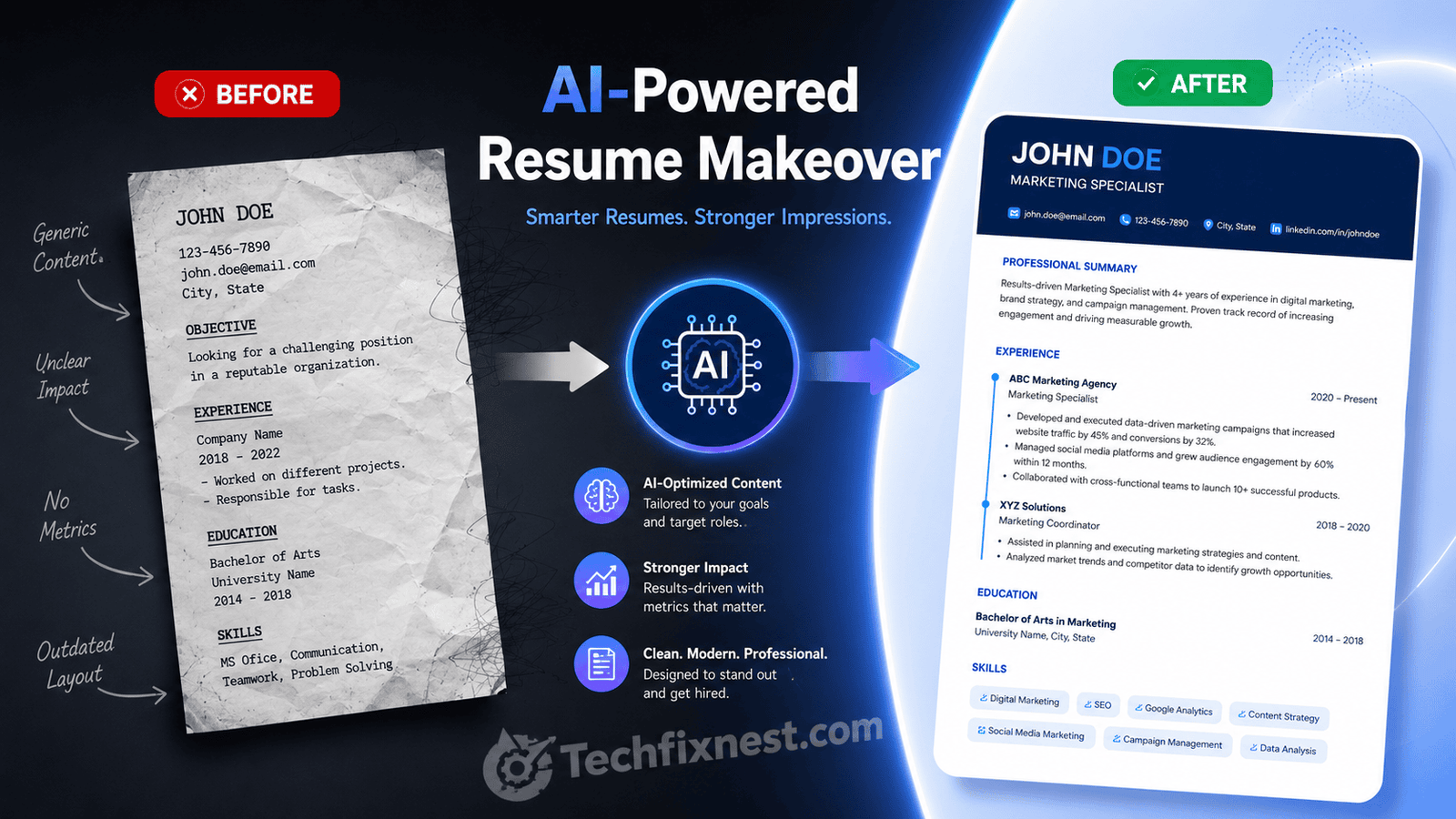
Looking for the best free AI resume tools in 2026? Compare Kickresume, Teal, Rezi, and more to build an ATS-friendly resume without paying a cent.
Short Answer
The best free AI tools for resume writing in 2026 are Kickresume (best overall first draft), Teal (best free job-tracking and keyword matching), Rezi (best free ATS scoring), and HeyCV or Resume.org (best for watermark-free, no-signup PDF exports). Pick based on whether you need speed, ATS accuracy, or organization.
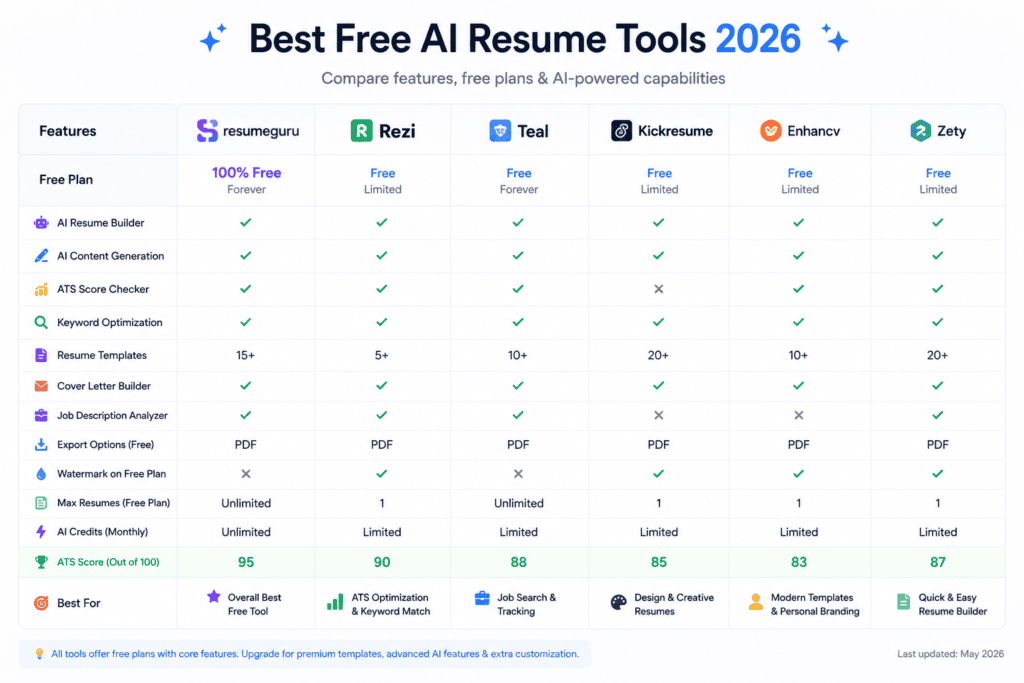
Table of Contents
- Introduction
- How We Evaluated These Tools
- The Best Free AI Resume Tools in 2026
- Troubleshooting Table: Common Free-Tool Problems
- Pro Tips for Using AI Resume Tools
- Common Mistakes to Avoid
- Best Practices
- FAQ
- Conclusion
Intro
Job hunting in 2026 means writing for two readers at once: the applicant tracking system (ATS) that scans your resume first, and the human recruiter who reads it second. That’s a lot to get right with a blank Google Doc and a blinking cursor.
AI resume tools were built to close that gap. They suggest keywords pulled straight from job descriptions, turn vague duties into measurable achievements, and format everything into a layout that won’t confuse a parser. The catch is that many “free” tools quietly lock the useful parts — AI writing, PDF export, or extra templates — behind a paywall the moment you’re ready to download.
This guide is for anyone who wants real functionality without a credit card: students, career changers, and anyone applying to more than a couple of jobs. Below, you’ll find the tools that actually deliver on their free plans in 2026, what each one is best at, and where the limits kick in.
My Personal Experience Testing These Tools
I spent a few weeks testing these tools first-hand while helping update resumes for different job searches one for a marketing role and one for a fresh graduate with almost no work experience. Kick resume was the fastest way to get something on the page; from a single job title, it produced a usable draft summary in under two minutes, though the free plan’s AI limits showed up quickly once I tried to regenerate a few sections. Teal turned out to be the most practical for actual applications its keyword match score flagged two or three important terms from the job posting that hadn’t made it into the resume at all, which a manual read-through easily could have missed. Rezi’s scoring system was useful as a sanity check, but the real value came from combining tools rather than relying on just one. The biggest lesson across every free tool: AI-generated bullet points sound polished, but the numbers and achievements always needed a second pass to make sure they reflected real, verifiable work rather than a generic-sounding estimate.
How We Evaluated These Tools
Each tool below was assessed on:
- True cost of “free” — download limits, watermarks, and forced sign-ups
- AI writing quality — does it generate usable bullet points, or just reformat text?
- ATS compatibility — clean, single-column layouts that parsers can read
- Keyword and job-matching features — does it compare your resume to a real posting?
- Ease of use — how fast can a first-time user get a finished resume?
The Best Free AI Resume Tools in 2026
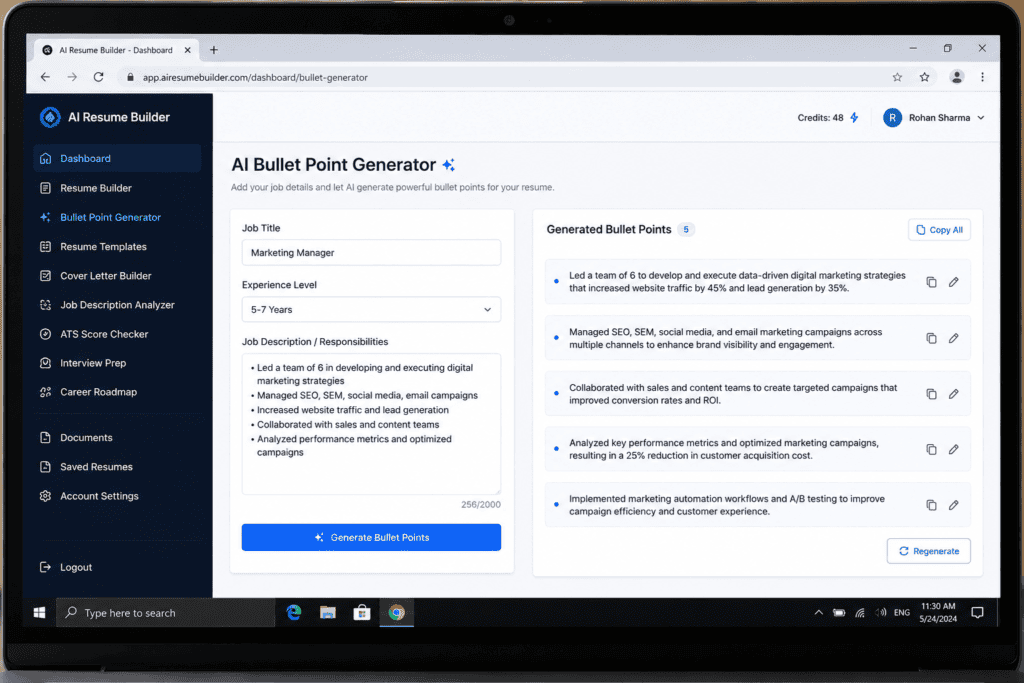
1. Kickresume — Best for a Fast First Draft
Kickresume can generate an entire resume section — summary, bullet points, skills — from just a job title, which makes it the easiest starting point if you’re staring at a blank page. It’s powered by a GPT-4-based writer and offers dozens of professionally designed templates.
Free plan reality: the free tier includes a handful of templates but limits AI writing features, so you’ll likely draft content and then hit a paywall for full AI generation. Students and teachers with a valid ISIC or UNiDAYS card can unlock months of Premium at no cost.
Best for: first-time resume writers who want structure and don’t know where to begin.
2. Teal — Best for Job Tracking and Keyword Matching
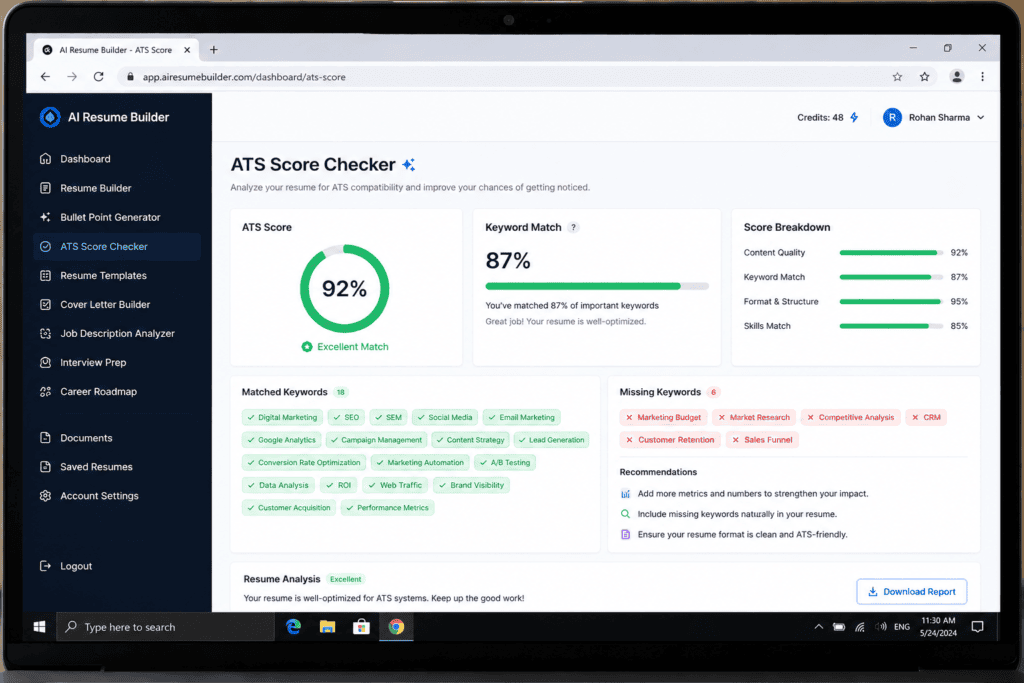
Teal pairs an unlimited free resume builder with a job application tracker and an AI-powered match score that compares your resume against a specific job description, flagging missing keywords as you go. Instead of guessing which phrases matter, you get a direct comparison.
Free plan reality: resume creation and the job tracker are free with no card required, making Teal one of the more generous options on this list, especially for people managing multiple applications at once.
Best for: active job seekers applying to many roles who need to stay organized as much as they need writing help.
Many people suggested this tool to me
3. Rezi — Best for ATS Scoring
Rezi scores your resume in real time across more than twenty criteria — formatting, keyword density, and content quality — which is useful if you’re applying through large-company systems like Workday or Taleo. It also includes an AI keyword targeting feature that tailors your resume to a pasted job description.
Free plan reality: the free version lets you build and score a resume; unlimited AI rewrites and some export options are reserved for paid plans.
Best for: job seekers who want a numeric read on how “ATS-friendly” their resume actually is.
4. HeyCV and Resume.org — Best for No-Watermark, No-Signup PDFs
If your main frustration is downloading a clean PDF without a watermark slapped across it, these two are built around exactly that. Both are positioned as genuinely free options with no paywalled export step, which is rare among AI resume tools.
Best for: anyone who just needs one clean, exportable resume without creating an account or hitting a paywall.
5. Wobo — Best for Unlimited Free Downloads
Wobo has positioned itself as one of the more generous free tools in 2026, offering unlimited resume creation, unlimited downloads, and AI writing assistance without a paywall. Its ATS check is more basic than dedicated scoring tools like Rezi, but for a no-cost option, the lack of restrictions stands out.
Best for: budget-conscious applicants who plan to create and download several resume versions.
6. Canva — Best for Visual and Creative Resumes
Canva’s AI Resume Builder combines its well-known design templates with “Magic Write,” an AI text generator for summaries and bullet points. It’s a strong pick for creative fields like design or marketing.
Watch out for: Canva’s multi-column, text-box-based layouts can confuse ATS parsers, so it’s a better fit for roles where a human reviews the resume directly rather than a fully automated screening process.
Based on my personal experience, most people tend to use this tool
Best for: portfolio-driven applicants in creative industries where visual design matters as much as content.
7. Jobscan — Best Free ATS Checker (Not a Builder)
Jobscan isn’t a resume builder, but it’s worth pairing with any tool above. It scans your finished resume against a job description and flags missing keywords and formatting issues, which is a useful last check before you hit submit. The free plan limits the number of scans per month.
Best for: a final compatibility check after you’ve written your resume elsewhere.
8. ChatGPT — Best General-Purpose Writing Assistant
ChatGPT isn’t a dedicated resume builder, so it won’t handle formatting or ATS scoring for you, but it’s flexible for rewriting bullet points, tightening a summary, or brainstorming how to phrase an achievement. Many job seekers use it alongside a dedicated builder rather than instead of one.
Best for: on-demand rewriting and editing once you already have a resume structure in place.
Common Problems And There Solution
| Problem | Possible Cause | Solution |
|---|---|---|
| PDF download is watermarked | Free plan restricts clean exports | Switch to HeyCV or Resume.org, which offer watermark-free downloads on the free tier |
| AI keeps generating generic bullet points | No job description was provided as input | Paste the actual job posting so the tool can tailor keywords and phrasing |
| Resume looks great but gets rejected by ATS | Multi-column or graphic-heavy template | Switch to a single-column, text-based template (Rezi or Teal work well here) |
| Free plan blocks AI writing after a few uses | Usage caps on the free tier | Draft manually first, then use the AI tool only for polishing specific sections |
| Resume ranks low on keyword match | Missing role-specific terms | Run it through Jobscan or Teal’s match score against the exact job posting |
| Formatting breaks after editing in Word | Exported file used complex tables or text boxes | Re-export as PDF instead of DOCX, or rebuild with a simpler template |
Pro Tips
- Feed the AI a real job posting, not just your job title — tailored input produces far better keyword suggestions than generic prompts.
- Always run the ATS check twice: once after generating content, once after your final manual edits, since small formatting tweaks can break parsing.
- Keep a master resume with everything you’ve ever done, then let the AI tool trim and tailor a copy for each application instead of rebuilding from scratch.
- Don’t trust AI-generated numbers. If a tool suggests “increased efficiency by 30%,” replace it with your actual data — recruiters do ask about specific figures in interviews.
- Export as PDF unless the posting specifically asks for DOCX, since PDFs preserve formatting more reliably across different ATS platforms.
- Use a free ATS checker as a second opinion even if your builder has its own scoring system — different parsers can flag different issues.
- Save templates that pass ATS tests so you’re not re-testing formatting every time you apply somewhere new.
- Combine two tools if needed — for example, Kickresume for the first draft and Jobscan for the final ATS check — rather than expecting one free tool to do everything.
Normal Mistakes to Avoid
- Using a heavily designed template for ATS-scanned roles. Visual resumes from tools like Canva can look great to a human and still get rejected by a parser before anyone sees them.
- Sending the same AI-generated resume to every job. Generic resumes score lower on keyword match and read as less relevant to recruiters.
- Accepting AI bullet points without editing them. Unverified claims or oddly generic phrasing are common giveaways that content wasn’t reviewed.
- Ignoring free-plan limits until the last minute. Discovering a watermark or export block right before a deadline is avoidable if you test the download early.
- Skipping a final proofread. AI tools can introduce awkward phrasing or repeated words that spell-check alone won’t catch.
Best Things
To keep your resume competitive over time, treat it as a living document rather than a one-time task. Update your master resume every time you finish a project or take on new responsibilities, so you’re never starting from memory months later. Re-run your resume through an ATS checker whenever you apply to a new type of role, since keyword requirements shift between industries. And periodically revisit which free tool you’re using — free-tier limits and features change often, so the best option earlier in the year may not be the most generous one by the time you’re job hunting again.
Frequently Asked Questions
Rezi and Teal are both built with ATS parsing in mind and use clean, single-column layouts with real-time scoring or keyword matching.
Not always. HeyCV and Resume.org both offer watermark-free PDF exports on their free plans, unlike some builders that lock clean downloads behind a paywall.
It can work for visually reviewed applications in creative fields, but its multi-column templates are more likely to confuse ATS parsers than simpler, text-based layouts.
A builder (like Kickresume or Teal) helps you create and format the resume. An ATS checker (like Jobscan) reviews an already-finished resume against a job posting and flags compatibility issues.
Kickresume is often recommended for beginners because it can generate a full first draft from minimal input, and students with an ISIC or UNiDAYS card can access extended free Premium periods.
Yes, but complex layouts with text boxes or tables can break when opened in Word. Simpler templates transfer more reliably between formats.
Conclusion
There’s no single “best” free AI resume tool for everyone in 2026 — it depends on whether you need a fast first draft, a way to track multiple applications, or a strict ATS score. Kickresume is the easiest starting point if you’re building from scratch, Teal is hard to beat for organization and keyword matching, and Rezi or Jobscan give you a clearer read on ATS compatibility before you hit submit.
Whichever tool you choose, treat the AI output as a first draft, not a final answer. Tailor it to each job description, verify every number and claim, and run it through an ATS checker before you apply. That combination — AI speed plus your own editing — is what actually gets resumes past the screening stage and in front of a human.